
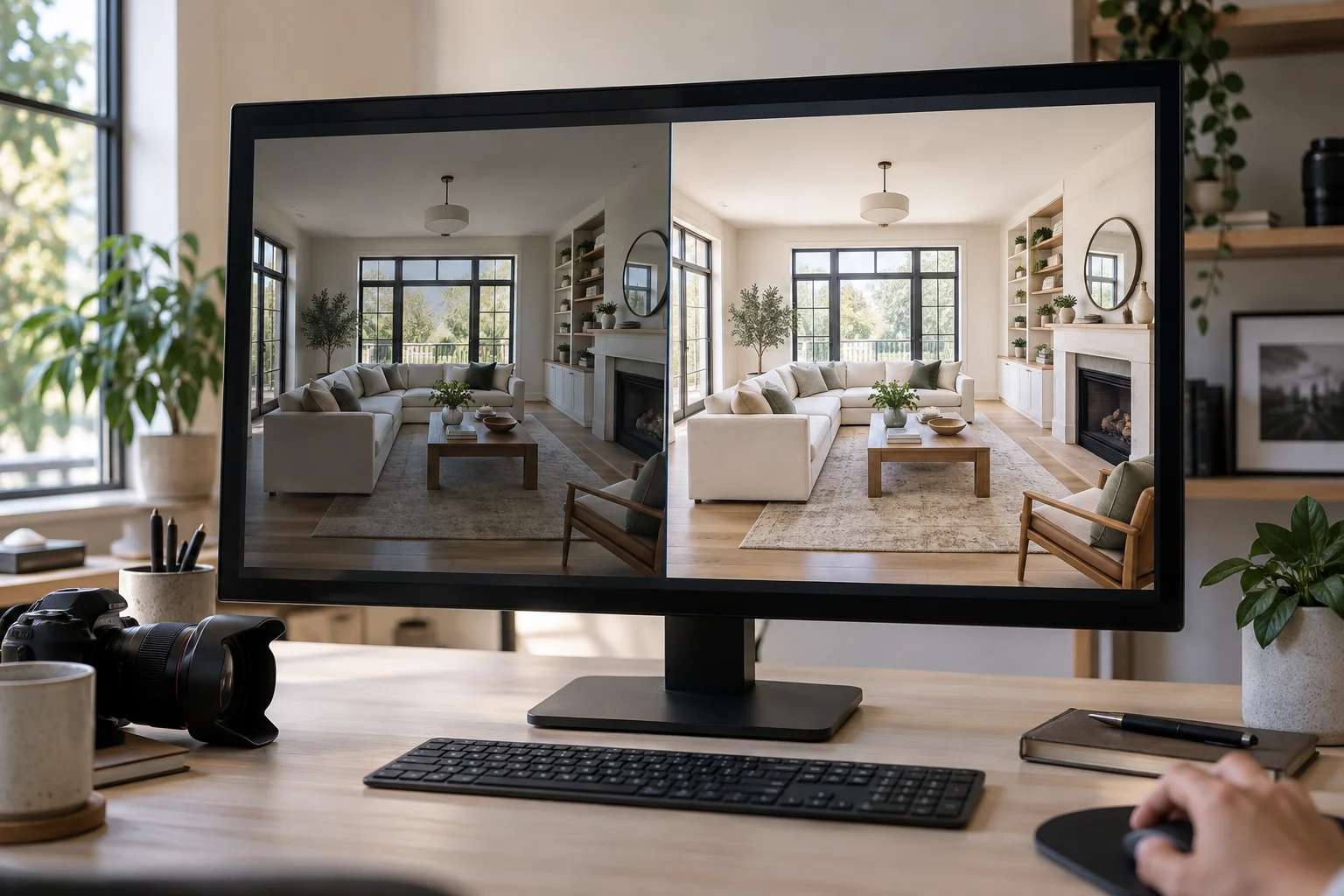
AI photo editing can make a real estate shoot clearer and brighter. An unchecked render can also make a room look larger, improve a view, or hide a defect. Those edits are not equivalent.
Improve the photograph's readability without changing what a buyer would find at the property. That aligns with the National Association of REALTORS®' requirement to present a true picture in advertising, including images, and its prohibition on misleading images. Article 12 and Standard of Practice 12-10 set a baseline for REALTORS®. Your state law, broker, and MLS may be more specific.
This is general operational guidance, not legal advice. Check the rulebook for the MLS where the listing will appear before publishing an altered image.
Use this test first
Before using an AI tool, ask: does this change the camera's rendering of the same property, or does it change the property a buyer is being asked to evaluate?
Correcting exposure on a dark interior is the first. Removing a water stain is the second. The first helps the buyer see; the second hides a material fact. The same test works across every editing mode.
CRMLS's current digitally altered-image guidance shows how an MLS can apply this distinction. It excludes routine adjustments such as lighting, sharpening, white balance, color correction, angle, straightening, cropping, and exposure when they do not change the representation of the real property. It treats adding, removing, or changing furniture or appliances as digitally altered, and prohibits changes to actual property elements or visible surroundings. Read the CRMLS FAQ and Rule 11.5.2. It is an example, not a nationwide safe harbor.
Edits that usually improve the photo, not the property
These finishing edits are usually safe when they preserve the scene as photographed:
- Exposure, white balance, and color correction. Lift a dark room, balance mixed indoor light, and make paint and flooring look like they do in person. Do not push color until the home has a different finish or mood than it really has.
- Lens and perspective correction. Straighten verticals and correct lens distortion so walls and door frames read naturally. Correction should restore geometry, not widen a room or compress a hallway to make it look larger.
- Crop, straighten, sharpen, and reduce noise. These make a photo easier to inspect. They should not crop away a feature or condition a reasonable buyer needs to see.
- Sky and twilight treatments. Replacing a flat sky or converting a daytime exterior to twilight can improve an exterior hero image when the house, its surroundings, and the underlying scene remain truthful. Our guides to sky replacement and day-to-twilight conversion cover how to keep both believable.
Keep these edits restrained. A tool may call a broad regeneration an “enhancement,” but judge the result, not the feature name.
Edits that need clear disclosure and an original
Some marketing edits change how a room is presented without changing its fixed features. They are still altered images. Label them and keep the unedited original.
Virtual staging. Adding furniture, rugs, artwork, or decor to a vacant room helps buyers understand scale and possible use. It must preserve the room's walls, windows, flooring, and proportions. Use a clear label such as “Virtually staged,” and follow your MLS's requirements for displaying or making the original available. See our full virtual-staging disclosure guide for the labeling workflow.
Decluttering and restaging. Removing personal belongings or outgoing furniture can be appropriate when those items are not part of the sale. It crosses the line when the edit removes damage, conceals a permanent fixture, or erases something a buyer will find at a showing. For the practical before-and-after check, see our decluttering guide.
Replacing movable furniture or appliances. If the original furniture is leaving, a restaged image can show potential, but never imply that a particular appliance or furnishing is included if it is not. Review changed kitchen scenes closely because appliances can be confused with fixtures or inclusions.
In California, AB 723 took effect on January 1, 2026 and requires a disclosure for digitally altered images used to promote a sale, plus access to the original image. CRMLS summarizes the law and its local implementation. Elsewhere, the exact disclosure and original-image rules differ, which is why the listing MLS—not a generic AI tool's advice—gets the final say.
Changes that do not belong in a listing photo
No disclosure turns a materially false property image into a good listing practice. Do not use AI to:
- remove water damage, cracks, stains, mold, wear, or other defects;
- add, remove, or alter flooring, walls, windows, cabinetry, fixtures, square footage, or structural features;
- change a view through a window, erase a neighboring property, utility pole, road, or other external condition;
- add landscaping, a pool, a fireplace, an appliance, or another feature that will not be present at closing; or
- change room dimensions, doorway locations, or perspective in a way that makes space look larger or more usable.
A staging edit is unusable if the model bends a wall, moves a window, or changes the room's scale while adding furniture. Compare every result with the original at full size. Our guide to spotting bad AI staging shows the geometry and surface errors to check.
A review checklist before anything goes live
Use this on every AI-edited image, not just staged rooms:
- Open the original beside the final. Confirm walls, windows, doors, fixed finishes, views, and defects are unchanged.
- Check geometry at full size. Straight lines remain straight; furniture sits on the floor; the room has the same proportions as the source photo.
- Check the listing facts. Nothing in the image suggests an included appliance, amenity, view, or condition that is not actually part of the sale.
- Classify the edit. Routine finishing edit, altered presentation that needs disclosure, or an impermissible change to a property fact.
- Apply the MLS rule. Add the required image description or on-image notice, place or link the original as required, and check any local restrictions on altered exteriors or virtual staging.
- Keep the source and final files. Save the original, the approved output, and the disclosure text with the listing assets so the team can answer a question later.
A SecondLight workflow for safe, fast finishing
Start with the highest-quality original photo and keep it untouched. In SecondLight, choose one job at a time: stage a vacant room, declutter an occupied one, or create a sky or twilight treatment. Review the output next to the original before downloading. If anything architectural shifts or the result implies a property feature that is not there, regenerate or leave that photo out of the set.
For staged or decluttered images, use the disclosure option and follow the listing MLS's exact placement and original-image requirements. For a full shoot, batch processing can keep the visual treatment consistent, but it does not replace per-image review. AI speeds production, but the agent or photographer remains responsible for the final representation.
Keep the property honest
Good AI editing makes the real home easier to see. It corrects the camera, handles weather and light with restraint, and helps buyers picture an empty or occupied room without changing the property. Preserve the original, inspect every result, disclose altered presentation where required, and follow the MLS's publishing rules.
About
Written by SecondLight Team. Issue Nº 031 of Field Notes.
Read next
Back to archive
All Field Notes