
Photographer · 01
Makes virtual staging easy, love that I can revise the style and furniture.

James
Real Estate Photographer · Sydney, Australia
Real estate photo editing in one place. Virtually stage interiors, clear clutter, improve exteriors, and revise until every image is ready.
2,000+ rooms staged and counting
No charge for 7 days · Cancel anytime
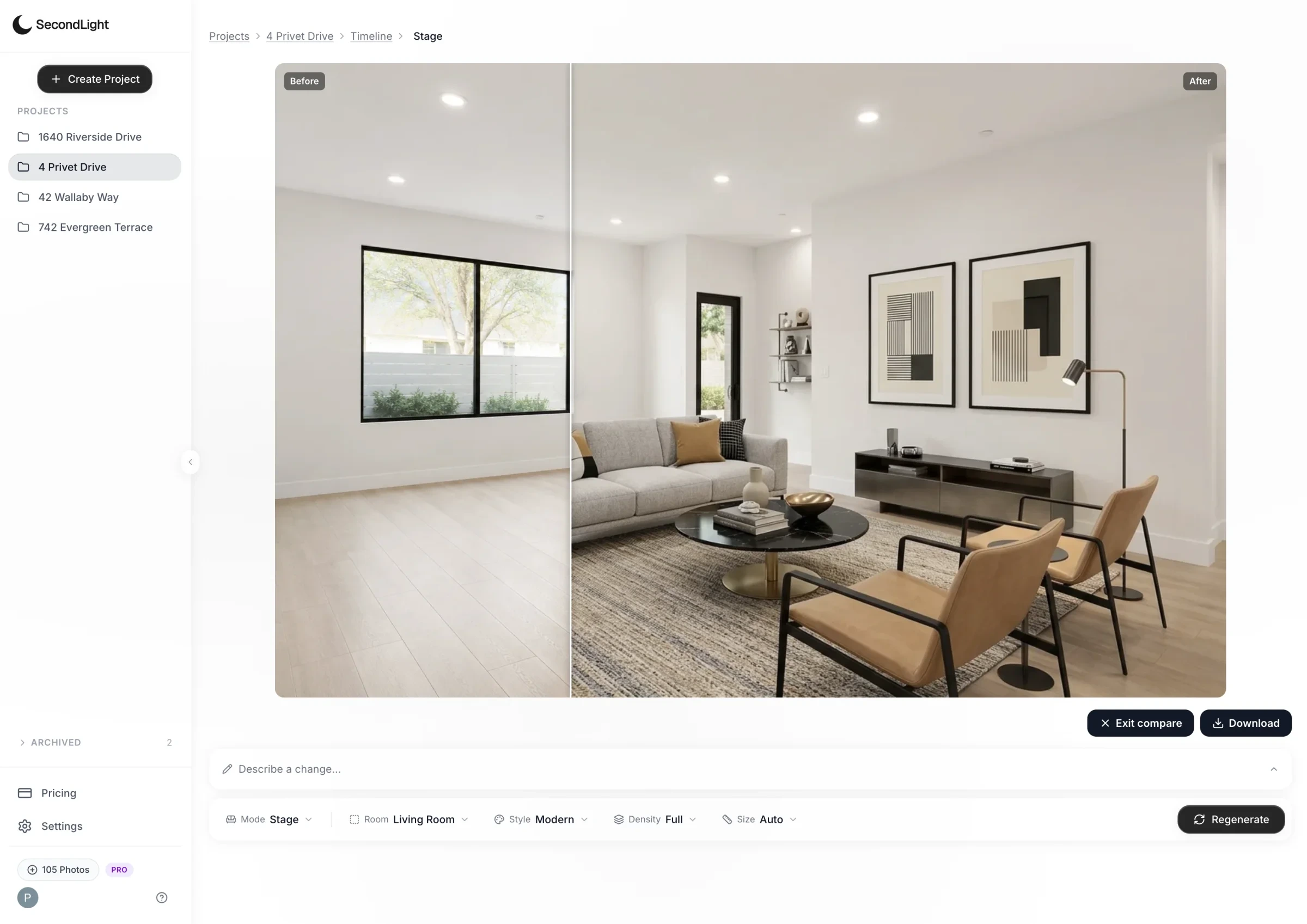
Visual proof
Drag to compare. Architecture stays true while you stage interiors, clear clutter, or improve skies and light.


From the field
Real estate agents and photographers use SecondLight to move from shoot to published listing faster.
Makes virtual staging easy, love that I can revise the style and furniture.
James
Real Estate Photographer · Sydney, Australia
Twilight conversion sealed two listings last quarter. Buyers see the dusk render, drive past at golden hour, and feel like they're already moving in.
Kate
Listing Agent · Phoenix, AZ
Conversations move faster for listings for agents when I can display the same room in different styles.
Michael
Real Estate Photographer · Tampa, FL
Declutter mode pays for the subscription on its own. I could list the property without waiting for the tenant to move out.
Sam
Property Manager · Los Angeles, CA
I love the organization aspect, makes keeping track of my listings easier.
Sarah
Listing Agent · Houston, TX
Inside the product
Step 01 · Upload & organize
Upload your photos and organize them by listing and room, so the original, every generated take, and the final delivery stay together.
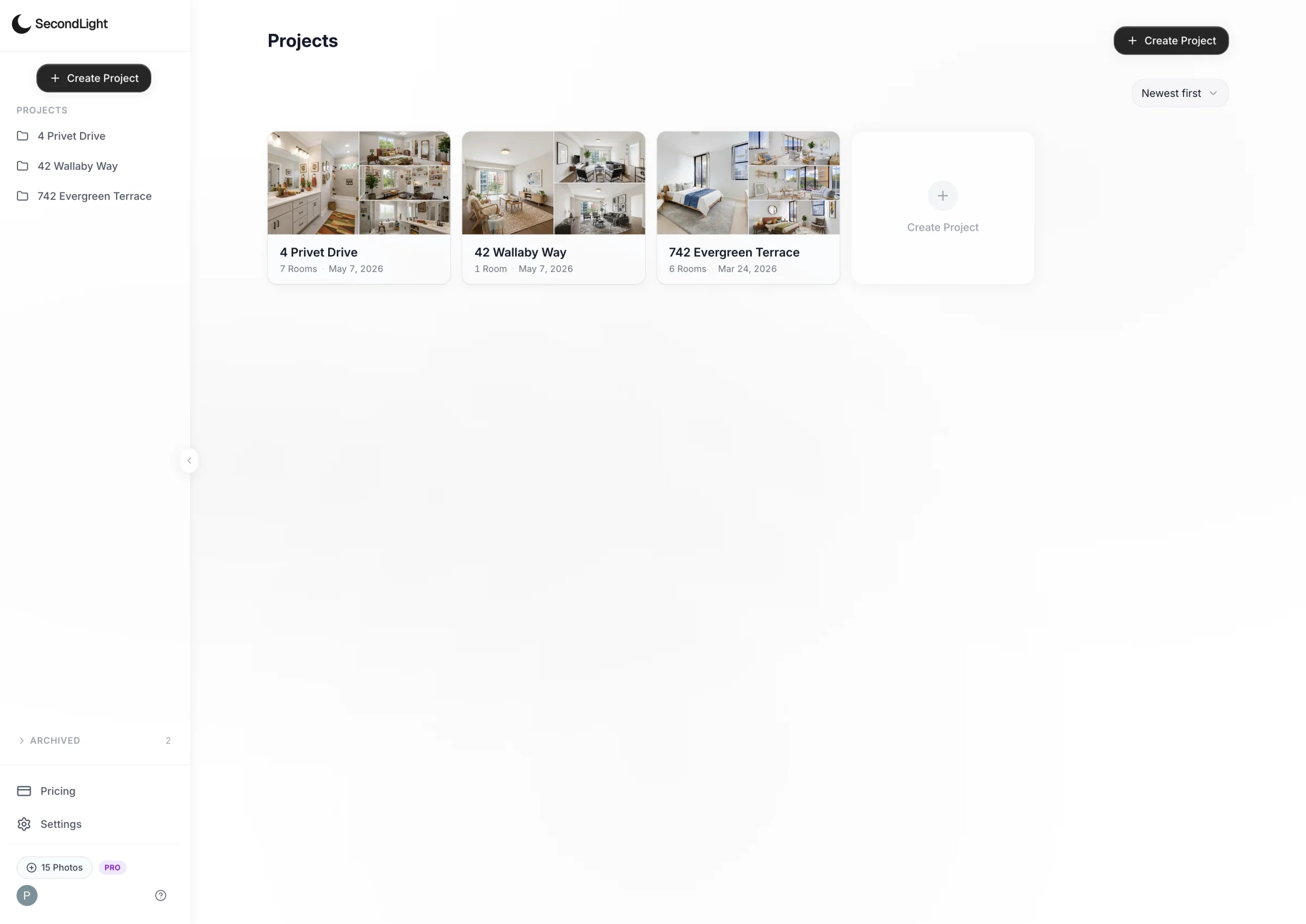
Step 02 · Choose & generate
Choose virtual staging, decluttering, or an exterior tool, set the details, and generate a listing-ready result without handing the work off or waiting on a queue.
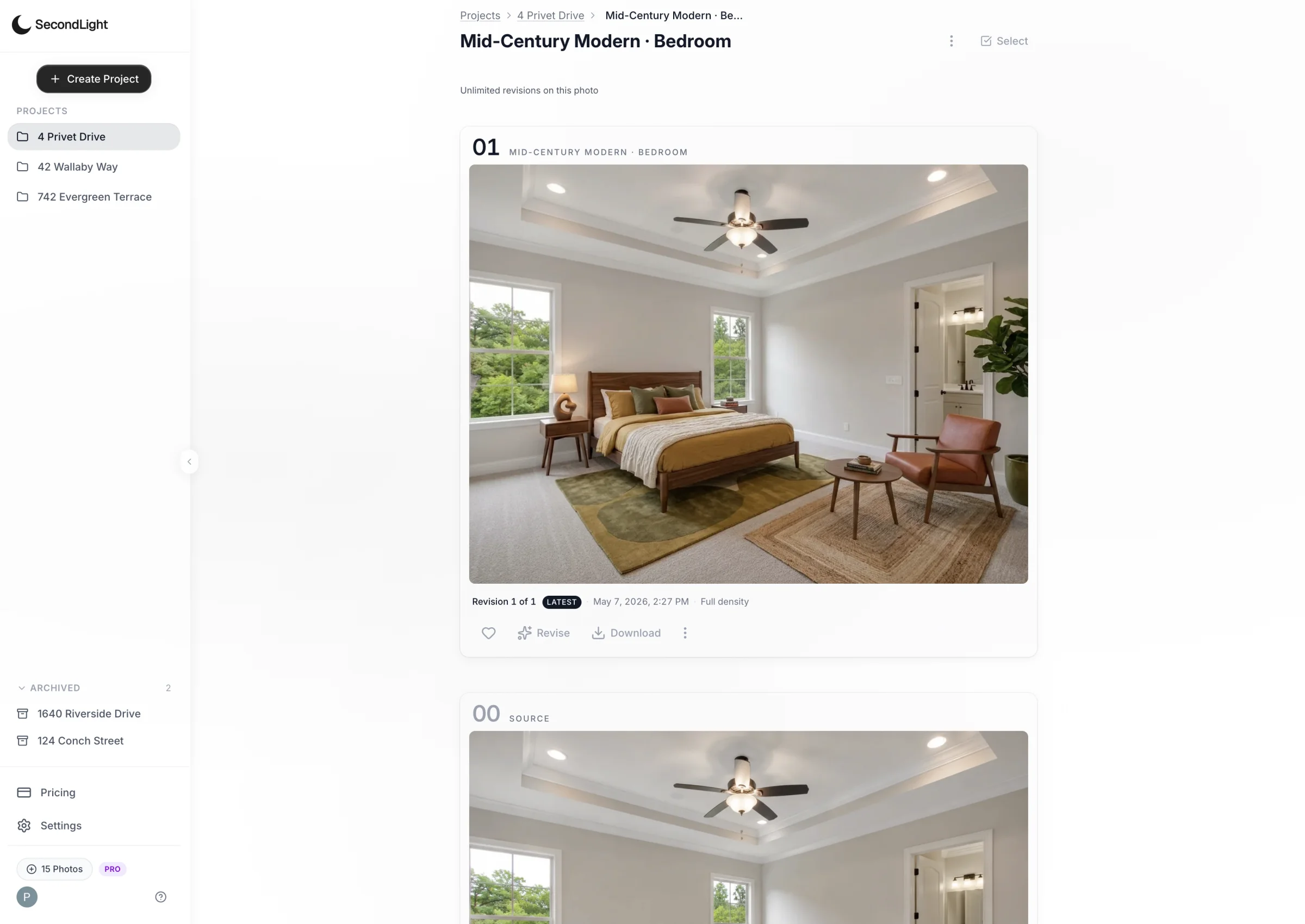
Step 03 · Finish & deliver
Compare with the original, revise for free, add a disclosure, and download the finished photo for your listing or client delivery.
Ready when you are
Your first listing photo can be ready today.
No charge for 7 days · Cancel anytime
Capabilities
The tools, pricing protections, and disclosure controls that keep production moving.
Add furniture to a vacant room in the style and density your listing needs.
Remove furniture and clutter from a lived-in room while keeping the real space intact.
Convert daylight to twilight, replace an overcast sky, and correct leaning perspective without another shoot.
Pay for the first generated photo, then revise, restyle, or adjust density without spending another credit.
Revise, restyle,
redensify, repeat.
Unused photo credits roll into the next billing cycle, giving you one extra month to use them.
Walls, windows, floors, and perspective stay true. Add a “Virtually staged” disclosure in your wording and chosen corner when you download; rules vary by board, so you stay in control of what you publish.

Get started
Stage rooms, clear clutter, improve exteriors, and deliver from one workspace.
No charge for 7 days · Cancel anytime