
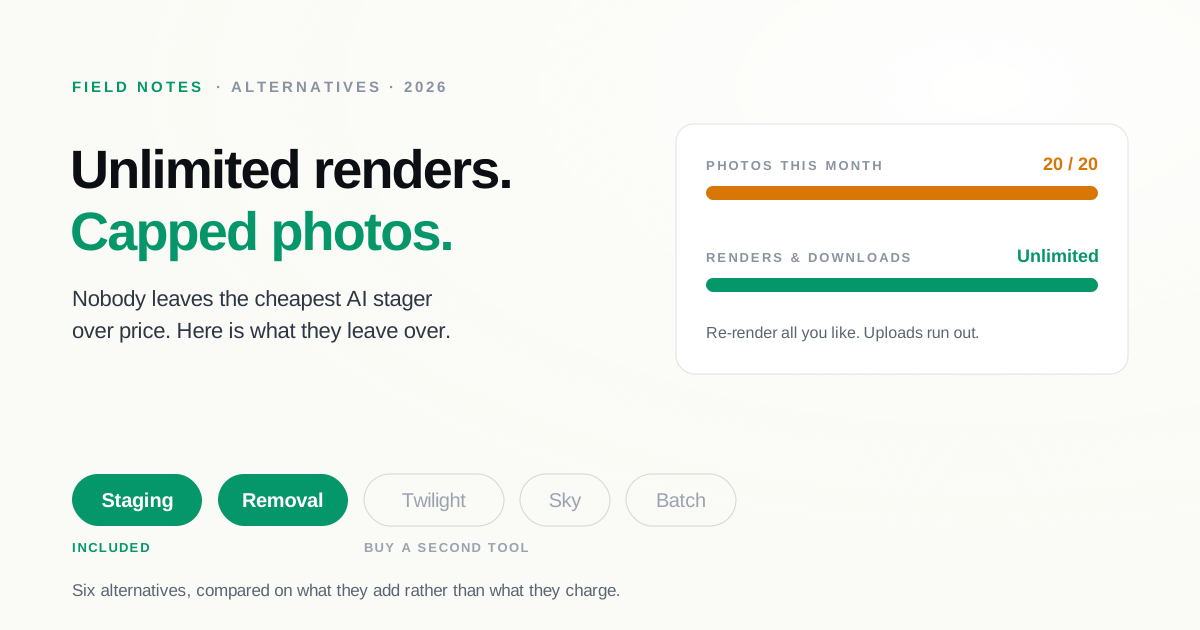
Most "alternatives" articles assume you want to pay less. That is the wrong starting point for Virtual Staging AI. It is already one of the cheapest ways to stage a photo, its renders come back in about ten seconds, and every plan includes unlimited renders and downloads with no watermark. If price were the only thing bothering you, you would not be reading this.
The reasons people actually go looking for a Virtual Staging AI alternative are narrower, and they show up a few months in: the monthly photo cap, and the fact that staging is nearly all the tool does. This guide compares six alternatives on what each one adds, not on who is cheapest. Pricing is as of August 2026 from each provider's public pricing page and can change, so confirm before you buy.
The photo cap is the part people miss
Virtual Staging AI's plans are priced per photo per month, and the tiers are tighter than the headline price suggests. As of August 2026, Basic is $16 per month for 6 photos, Standard is $19 for 20, Professional is $39 for 60, and Enterprise is $79 for 150, with API access at the top tier.
"Unlimited renders and downloads" appears on all four plans, and it means what it says, but it applies to re-rendering a photo you have already uploaded, not to how many photos you can upload. That distinction is easy to miss at signup and impossible to miss in a busy month. An agent with four vacant listings and eight rooms each is past the Standard plan before the month is half done.
The second reason is scope. Virtual Staging AI stages rooms and removes furniture, and it does both well. What it does not do is the rest of the listing: no day-to-dusk conversion, no sky replacement, no batch pipeline for a full shoot. If staging is the only treatment you need, that focus is a feature. If you are a photographer delivering a whole gallery, you end up buying a second tool.
At a glance
| Tool | Model | Pricing (Aug 2026) | Turnaround | What it adds over VSAI |
|---|---|---|---|---|
| SecondLight | AI, staging-focused | Subscription, 2 plans; 7-day trial | Under a minute | Twilight, sky, declutter, batch; revisions free |
| Collov | AI + listing media | $19–$127/mo (60–526 credits) | ~10 seconds | Exterior suite, API, higher credit ceiling |
| REimagine Home | AI redesign + staging | $14–$99/mo; 5 free designs | Seconds | Redesign of furnished rooms, real-product sourcing |
| Styldod | AI + human editing | $16–$23/image | 24–48 hours | Human finishing, floor plans, video |
| ApplyDesign | AI, pay-per-use coins | $7–$10/coin | ~15 minutes | No subscription, 360 panoramas |
| BoxBrownie | Human editing | AU$30/image | Under 48 hours | Hand-finished quality, no plan to manage |
1. SecondLight
SecondLight is staging-focused like Virtual Staging AI, but it covers the treatments a listing gallery actually needs. Alongside staging it does declutter, day-to-twilight conversion, and sky replacement, and Pro adds batch processing so a full shoot goes through in one pass rather than one upload at a time. Every style and room type is unlocked on both plans, and revisions do not spend a credit, so trying a second style or a different furniture density costs nothing.
Against Virtual Staging AI specifically, the trade is that you are on a credit subscription rather than a flat photo allowance, and you get the surrounding treatments in the same tool instead of buying a second one. It is built to hold the room's real geometry while adding furniture, which is where cheaper AI staging tends to slip on hard rooms. Both plans start with a 7-day trial that asks for a card and does not charge until day 7.
Best for: agents and photographers who need more than staging alone, and who do not want revisions metered.
2. Collov
Collov is the closest match if your problem is purely the ceiling. As of August 2026 it runs $19 per month for 60 photo credits, $49 for 150, $79 for 263, and $127 for 526, with additional photos around $0.24 each on the top tier and unlimited regeneration on paid plans. That is a meaningfully higher volume ceiling than Virtual Staging AI's 150 photos, and it comes with an exterior suite (day-to-dusk, lawn replacement, material overlays) plus an API for teams. Note the free trial watermarks its output.
Best for: teams that hit the photo cap every month and want an API to plug into their own stack.
3. REimagine Home
REimagine Home solves a different problem than the one Virtual Staging AI solves. It stages empty rooms, but its real strength is redesigning furnished ones, with a conversational flow and real-product sourcing that fills a room with items you can actually buy. Plans run from $14 to $99 per month as of August 2026, metered in credits: 30 per month on Essential, 200 on Pro, and more on the higher tiers. Real-product renders cost two credits rather than one. There are five free designs to start, no card required.
Worth knowing before you switch: a redesign-first tool will happily rework a room's finishes, which is useful for a design client and risky for a listing photo that has to match the house. Our disclosure guide covers where that line sits.
Best for: designers and anyone doing redesign or visualization rather than vacant-listing staging.
4. Styldod
Styldod puts a human back in the loop. As of August 2026 it is $16 per image on orders of eight or more and $23 below that, with a 24 to 48 hour turnaround and unlimited free revisions. Rush delivery costs $6 for 24 hours or $12 for 12. It also sells the things no AI staging tool does: floor plans from $9, single property video from $30, and 3D rendering from $250.
You are trading ten-second turnaround for hand-finishing, and a subscription for a per-photo invoice. At volume the per-photo model gets expensive fast, which is the usual reason people moved to Virtual Staging AI in the first place.
Best for: listings where a human eye matters more than speed, or when you need floor plans and video from the same vendor.
5. ApplyDesign
ApplyDesign drops the subscription entirely. It sells coins at $10 each for one to nine, $8 for ten to nineteen, and $7 at twenty or more, as of August 2026. Auto-staging a 2D image costs 1.5 coins and the DIY mode costs 1, so a staged photo lands somewhere around $7 to $15 depending on how you buy. Turnaround is roughly 15 minutes, item removal is included, and it handles 360 panoramas.
Best for: occasional stagers who resent paying monthly for a tool they use four times a year.
6. BoxBrownie
BoxBrownie is the fully human option, at AU$30 per image as of August 2026 with no subscription and pay-as-you-go billing. Turnaround is under 48 hours and changes are unlimited within two months of the original job. Prices display in your local currency, so check the figure you are actually quoted.
It is the opposite end of the spectrum from Virtual Staging AI in every dimension: slower, more expensive per photo, and hand-finished by an editor rather than generated. We covered the full set of swaps in our BoxBrownie alternatives guide.
Best for: low volume, high stakes listings where you want a person to have looked at it.
Common questions
Is there a free alternative to Virtual Staging AI?
Partly. REimagine Home gives you five free designs with no card required, and Collov offers a handful of free trials, though its trial output is watermarked. SecondLight's plans start with a 7-day trial that asks for a card and does not charge until day 7. None of these are indefinitely free, and the ones that advertise a permanent free tier generally watermark the result. We went through what "free" actually buys in our guide to free virtual staging.
How many photos does Virtual Staging AI let you upload?
Six per month on Basic, 20 on Standard, 60 on Professional, and 150 on Enterprise, as of August 2026. The "unlimited renders and downloads" on every plan refers to re-rendering photos you have already uploaded, so you can try as many looks as you like on a given room without spending against the cap. It is the number of distinct rooms that is limited.
What is the cheapest alternative per photo?
At the top tiers the per-photo math gets close between the AI tools: Virtual Staging AI works out around $0.53 per photo at 150 photos a month, and Collov around $0.24 per photo at 526. Those numbers only hold if you actually use the full allowance. If you stage occasionally, ApplyDesign's coins at $7 to $10 each will usually cost less overall than carrying a subscription you underuse.
Does Virtual Staging AI do twilight conversion or sky replacement?
No. Its listed features cover staging and furniture removal, which is a deliberate focus rather than an oversight. For day-to-dusk work you would look at Collov's exterior suite, Styldod's day-to-dusk service at $4 an image, or SecondLight, which includes twilight and sky replacement alongside staging.
How to choose a Virtual Staging AI alternative
Match the alternative to what pushed you out:
- Hitting the monthly photo cap? Collov's higher credit tiers, or SecondLight if you also want the other treatments.
- Need twilight, sky, or declutter too? SecondLight, or Collov for the exterior work specifically.
- Doing redesign rather than staging? REimagine Home.
- Want a human to finish it? Styldod at volume, BoxBrownie for one-offs.
- Stage only occasionally? ApplyDesign's coins, with no plan to cancel.
If you are leaving because staging alone stopped being enough, that is the case we built SecondLight for: the whole gallery in one tool, revisions that do not cost a credit, and structural quality that holds up on the rooms that break weaker models. Try it on your own listing and the trial will not charge until day 7.
About
Written by SecondLight Team. Issue Nº 026 of Field Notes.
Read next
Back to archive
All Field Notes