
REimagine Home is a strong tool aimed at a job that is close to virtual staging without being the same job. It redesigns rooms. You can hand it a furnished space and ask for a different look, describe changes in plain language, and have it fill the room with real products you can actually buy from a retailer. For a designer building concepts, or a homeowner deciding what to do with a room, that is genuinely useful.
The friction shows up when you point it at a listing. Redesign and listing staging pull in opposite directions, and the credit model that suits exploration suits production less well. If you came here because the output looked great but did not quite fit an MLS gallery, this guide covers five REimagine Home alternatives built for listing work. Pricing is as of August 2026 from each provider's public pricing page and can change.
Redesign and staging are different jobs
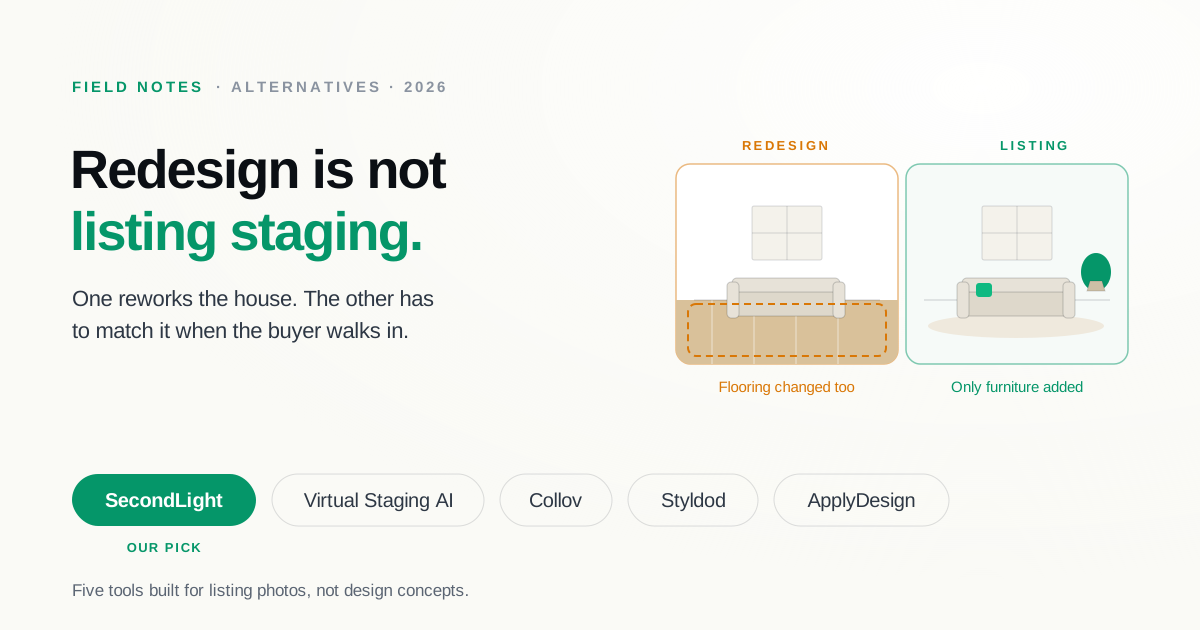
A redesign tool's job is to show a room as it could be. A staging tool's job is to show an empty room furnished, with everything that is actually part of the house left exactly as it is. The floors, the counters, the windows, the fireplace, the cabinetry: all of it has to survive the render untouched, because a buyer will walk in and compare.
Redesign models are not built to respect that constraint, and often should not be. Ask for a warmer look and you may get different flooring, a new backsplash, or a reworked fireplace surround. That is the correct answer to a design question and the wrong answer to a listing one. It also walks into a disclosure problem: altering fixed features rather than adding furniture is the line most guidance draws between acceptable staging and a misleading listing photo. Our disclosure guide covers where that line sits and how to label what you publish.
The second thing people notice is that exploration is metered. Describing what you want costs nothing, but each render spends a credit, and real-product renders spend two, one for the product discovery and one for the visualization. As of August 2026 plans run from $14 to $99 per month: Essential includes 30 credits, Pro includes 200, and the higher tiers include 400 and 900. Five free designs let you try it without a card. For concept work, where you render a handful of options and pick one, that math is fine. For a photographer running sixty rooms through a pipeline, every alternate style is another credit.
At a glance
| Tool | Built for | Pricing (Aug 2026) | Revisions | Keeps room structure |
|---|---|---|---|---|
| SecondLight | Listing staging | Subscription, 2 plans; 7-day trial | Free, no credit | Yes, by design |
| Virtual Staging AI | Listing staging | $16–$79/mo (6–150 photos) | Unlimited renders | Yes |
| Collov | Staging + listing media | $19–$127/mo (60–526 credits) | Unlimited regeneration | Yes |
| Styldod | Human-edited listing media | $16–$23/image | Unlimited, free | Yes, human edited |
| ApplyDesign | Occasional staging | $7–$10/coin | On-the-spot | Yes |
1. SecondLight
SecondLight is built for the listing case specifically: hold the room's real geometry and finishes, add furniture that belongs there. Every style and room type is unlocked on both plans, and revisions do not spend a credit, so exploring a second style or a lighter furniture density costs nothing. That is the direct answer to credit-metered exploration.
It also covers the rest of the gallery rather than just the staging step, with declutter, day-to-twilight conversion, and sky replacement, plus batch processing on Pro for a full shoot in one pass. What it deliberately does not do is redesign a furnished room into a different house, which is the thing you would miss if your work is design concepts rather than listings. Both plans start with a 7-day trial that does not charge until day 7.
Best for: agents and photographers who need listing-safe output and do not want each variation metered.
2. Virtual Staging AI
Virtual Staging AI is the narrowest tool here in the useful sense: it stages photos and removes furniture, and does not try to redesign anything. As of August 2026 it is $16 per month for 6 photos, $19 for 20, $39 for 60, and $79 for 150, with unlimited renders and downloads on every plan and no watermark. Turnaround is about ten seconds.
The catch is the inverse of REimagine Home's: renders are unlimited but photos are capped monthly, so the constraint moves from how much you explore to how many rooms you upload.
Best for: anyone who wants staging only, at the lowest headline price, with unmetered re-rendering.
3. Collov
Collov sits between the two categories. It stages interiors, and it also carries an exterior suite (day-to-dusk, lawn replacement, material and floor overlays) plus an API. Pricing as of August 2026 runs $19 per month for 60 credits, $49 for 150, $79 for 263, and $127 for 526, with unlimited regeneration on paid plans and extra photos around $0.24 each at the top tier. Its free trial watermarks output.
Best for: teams that want listing staging plus exterior work and a higher credit ceiling than REimagine Home's mid tiers.
4. Styldod
Styldod hands the work to a human editor, which removes the structural risk entirely because a person is making the call about what to leave alone. As of August 2026 it is $16 per image on orders of eight or more, $23 below that, with 24 to 48 hour turnaround and unlimited free revisions. It also sells floor plans from $9, day-to-dusk from $4, and object removal from $8.
You wait a day or two and pay per photo instead of per month, which suits low volume and gets expensive at scale.
Best for: people who want a human guarantee that the room still matches the house.
5. ApplyDesign
ApplyDesign is the no-subscription option, selling coins at $10 each for one to nine, $8 for ten to nineteen, and $7 at twenty or more as of August 2026. Auto-staging a 2D image costs 1.5 coins, DIY costs 1, and turnaround is roughly 15 minutes with item removal included.
Best for: occasional users who would rather buy a handful of images than carry a plan.
Common questions
Can you use REimagine Home for real estate listings?
You can, but with care. The tool will stage an empty room, which is fine. The risk is its redesign behavior, which can rework flooring, cabinetry, or other fixed features while it works. On a listing photo, that crosses from staging into misrepresentation, because a buyer will compare the photo against the actual house. If you use it for listings, check every render against the original and label what you publish. Our disclosure guide covers the labeling rules.
How much does REimagine Home cost?
Plans run from $14 to $99 per month as of August 2026, metered in credits rather than photos: 30 credits a month on Essential, 200 on Pro, 400 on Advanced, and 900 on Agency. One credit covers one render, and renders that source real purchasable products cost two, one for the product discovery and one for the visualization. Five free designs are available without a card.
Does exploring a design cost credits?
Describing what you want in the conversational flow is free. The credit is spent when you render. That structure suits concept work, where you talk through an idea and render once, and suits production work less well, where each alternate style for each room is another credit.
What is the best alternative for listing photos specifically?
If the job is furnishing vacant rooms for an MLS gallery, a staging-focused tool will fight you less than a redesign platform. SecondLight and Virtual Staging AI are both built for that narrower job, and Collov adds exterior work if you need it. The tradeoff is that none of them will redesign a furnished room the way REimagine Home does, so if you also do design concepts you may end up keeping both.
How to choose a REimagine Home alternative
The honest answer depends on which job you are actually doing:
- Still doing design concepts, just cheaper? Stay on REimagine Home. Nothing here replaces its real-product sourcing.
- Producing listing photos at volume? SecondLight or Collov, where structure is preserved and variations are not metered one by one.
- Only need staging, nothing else? Virtual Staging AI, watching the monthly photo cap.
- Want a human to guarantee it? Styldod.
- A few images a year? ApplyDesign's coins.
If you have been fighting a redesign tool to stop it redesigning, that is the specific problem SecondLight is built around: furniture added, house left alone, revisions free while you find the right look. Try it on one of your own rooms and the trial will not charge until day 7.
About
Written by SecondLight Team. Issue Nº 028 of Field Notes.
Read next
Back to archive
All Field Notes