
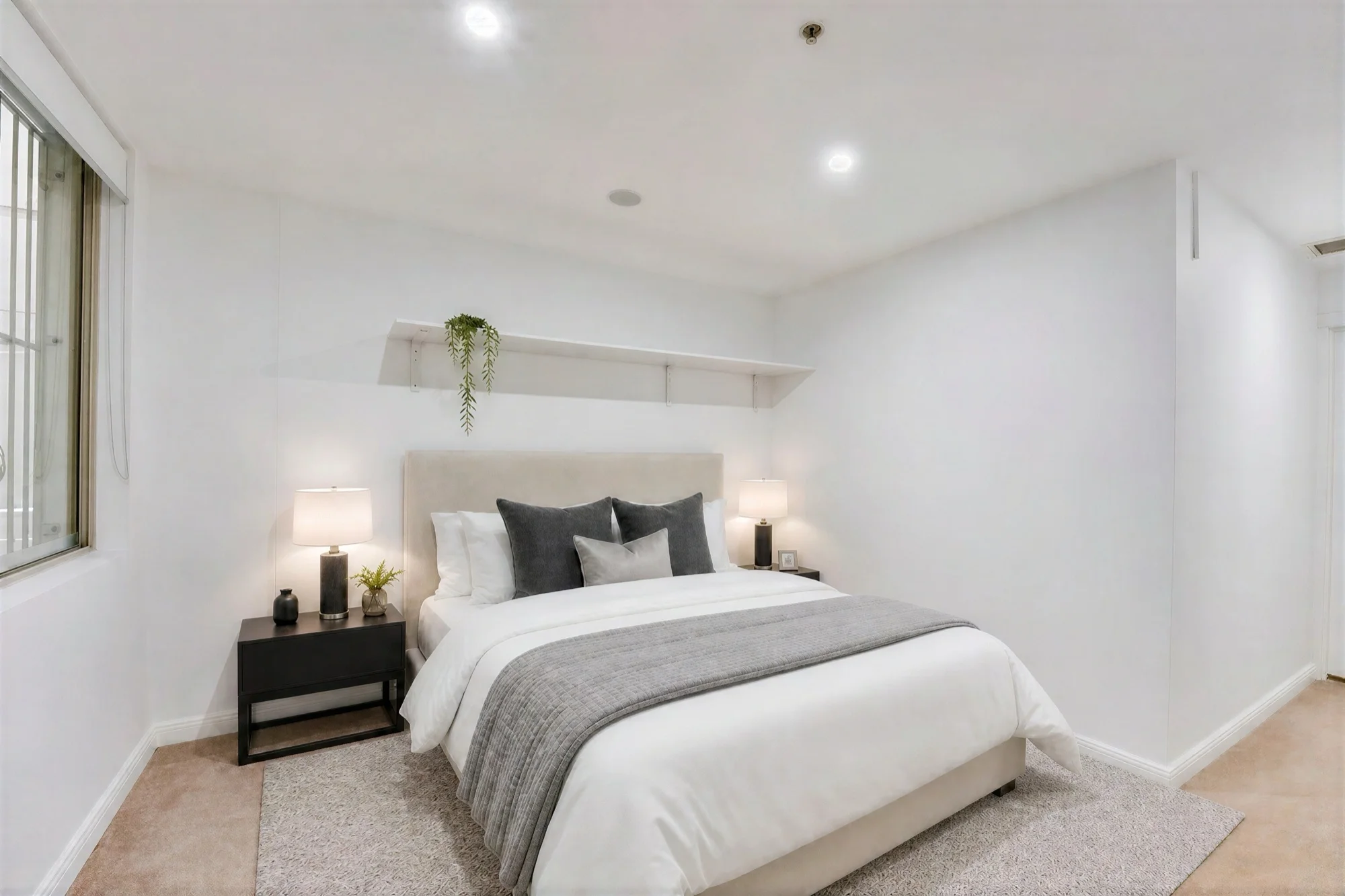
Virtual staging has gone from a niche upsell to a default line item on most listings. But not all virtual staging is created equal, and the tech behind it fails in a handful of predictable ways. Here are the five mistakes that show up most often, and what to look for in a tool that avoids them. To make it concrete, we ran the same unstaged bedroom through a few different tools, so you can see what each mistake actually looks like.
1. Furniture that doesn't respect the room
The most common failure is also the most obvious to a buyer: a sofa floating slightly above the floor, a rug that clips through a doorway, a dining table that's clearly too large for the room it's in. Older staging tools, and a lot of the cheaper AI tools, composite furniture onto a photo without any real understanding of the room's geometry. It looks fine as a thumbnail and falls apart the moment someone zooms in.
Some tools go further than misplaced furniture and invent architecture that was never there: a doorway added where the original photo shows a plain wall, a hallway opened up out of nowhere. That's not a staging error, it's a sign the model is generating a plausible-looking bedroom instead of staging the specific room in the photo.
This matters more than it sounds like it should. Buyers today have seen hundreds of staged listings, and "something's off" registers even when they can't articulate what. The fix isn't a bigger furniture catalog. It's a model that actually reasons about the room's perspective, floor plane, and existing architecture before placing anything in it, rather than pasting in pre-rendered assets.
2. Ignoring scale and room dimensions
Related to the above but worth calling out on its own: staged furniture that physically couldn't fit in the room. A king bed in a 9x10 bedroom. A sectional that would block a doorway. This isn't just an aesthetic problem. Agents in some markets have gotten pushback for staged photos that misrepresent usable space, and buyers who show up to a walkthrough expecting a room they saw in listing photos feel misled when the real dimensions don't match.
Tools that let you pick a density setting (light staging vs. fully furnished) and generate against the room's actual proportions handle this better than one-size-fits-all templates. If a tool doesn't give you any control over how much furniture goes into a space, that's a sign it isn't accounting for scale at all.
3. Turnaround times that kill listing momentum
The traditional virtual staging model, where a human designer manually stages each photo, typically runs 24–48 hours per batch, longer during peak season. That's fine if your listing has a comfortable runway before it goes live. It's a real problem when a listing needs to be up today, or when a client wants a chair swapped an hour before an open house.
This is one of the clearest advantages of AI-based staging: generation measured in seconds instead of days means staging stops being a scheduling constraint. If you're still building in a two-day buffer for staged photos, the tooling is the bottleneck, not the workflow.
4. Getting locked into one look with no way to revise cheaply
A lot of per-photo staging services price every revision as a brand-new job. Don't like the style? That's another $15–$25 and another day's wait. The result is that agents often ship the first version they get back even when it's not quite right, because iterating is expensive in both time and money.
Good staging tools treat the first generation as a starting point, not a final deliverable, and let you try a different style, adjust density, or swap out a piece without burning a new charge every time. If restyling a room costs the same as staging it from scratch, that's a pricing model working against you actually finding the best version of the photo.
5. Skipping disclosure
Most MLS boards and several state real estate boards now require virtual staging to be disclosed, either with a visible watermark or explicit language in the listing description. It's an easy step to skip when a tool doesn't build it in by default, and it's the kind of oversight that turns into a compliance headache well after the listing is live. Any staging workflow should make disclosure the default, not an extra step someone has to remember.
What to look for instead
None of these are exotic problems. They're the direct result of tooling that either doesn't understand the room it's working with, or prices and delivers in a way that discourages getting the photo right. SecondLight was built around avoiding exactly these five: staging that reasons about the actual room and its scale rather than compositing furniture on top of it, generation in seconds rather than days, revisions and restyles that don't cost another credit, and automatic watermarking on free-tier output so disclosure isn't something you have to remember to add.
If you're evaluating virtual staging tools, run a real listing photo through a few of them and check the results against this list, the same way we did above. Scale, revision cost, turnaround, and disclosure will tell you more about the tech underneath than any feature list will.
About
Written by SecondLight Team. Issue Nº 004 of Field Notes.
Back to archive
All Field Notes